
To navigate Sephora.com like a pro, master the Color IQ tool for perfect shade matching, strategically select samples at checkout, and leverage your Beauty Insider points during seasonal sales events. Filter product reviews by skin concerns, use the virtual try-on feature before purchasing, and create organized wishlists to track desired items. Set price alerts for online exclusives and utilize smart filtering to streamline your shopping experience. The following strategies will transform your beauty shopping efficiency.
Key Takeaways
- Utilize smart filtering techniques to narrow products by category, price range, and brand for efficient browsing.
- Leverage Beauty Insider points during seasonal sales events to maximize discounts of 10-20% based on tier status.
- Use the Colour IQ tool and virtual try-on features to find perfect shade matches when shopping online.
- Strategically select up to two free samples with every order that align with your current skincare needs.
- Create organized wishlists by category to track desired items and receive notifications for price drops and promotions.
Finding Your Perfect Shade Match Online
How often have you purchased a foundation online only to discover it’s completely wrong for your skin tone? With Sephora’s digital tools, you’ll never make that mistake again.
Start by using their Colour IQ tool, available on both the website and Sephora app, which matches your skin to your ideal foundation shade through simple questions about your complexion.
For visual confirmation, check product swatches and photos uploaded by real Beauty Insider members with similar skin tones.
Don’t overlook customer reviews—they offer valuable insights from people who’ve already tested the product.
For select items, try the virtual try-on feature that uses augmented reality to show how shades look on your face.
Still uncertain? Request samples before committing to a full-size purchase, saving you time and disappointment.
Mastering the Art of Sample Selection
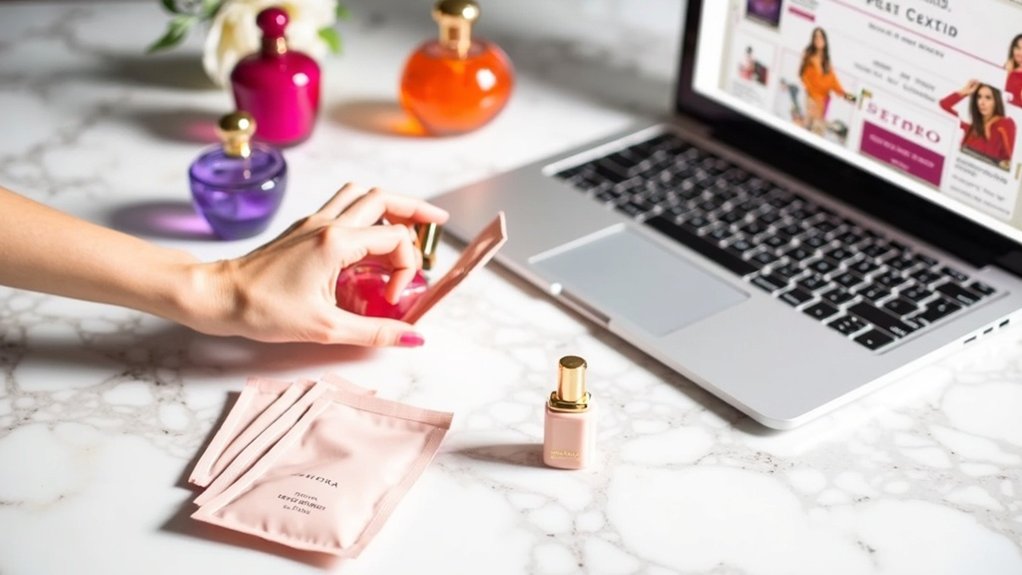
Once you’ve found your perfect foundation match, there’s another perk to shopping on Sephora.com: free samples with every order. You can select up to two free samples during checkout, giving you the chance to explore new products before committing to full-size versions.
For beauty enthusiasts looking to maximize this benefit, consider choosing samples that align with your current skincare or makeup needs. The Sephora app makes this process easier, allowing you to browse available options while checking product reviews.
Remember that seasonal promotions often bring exclusive sample opportunities, sometimes paired with free standard shipping offers.
When making your selections, take a moment to review Sephora’s Privacy Policy, which explains how your product preferences might inform future recommendations, ultimately enhancing your shopping experience.
Leveraging Beauty Insider Points for Maximum Value
You’ll want to carefully consider how you spend your Beauty Insider points, as strategic redemption can significantly increase their value.
Understanding the differences between Insider, VIB, and Rouge tier benefits helps you access exclusive rewards that match your beauty preferences.
During special events like double and triple points promotions, you can quickly boost your point balance, allowing you to redeem for more premium items from the Rewards Bazaar.
Point Redemption Strategies
Smart Beauty Insider members understand that earning points is just the beginning—knowing when and how to redeem them makes all the difference in maximizing their value.
To avoid falling victim to point expiration policies, regularly check your balance through the Sephora app.
When browsing the Rewards Bazaar, be patient and strategic with your point transfers. High-value products often appear as limited-time offers, sometimes giving you twice the value for your points compared to standard redemptions.
Consider waiting for these special opportunities rather than spending points on the first item you see.
Maximizing event promotions is another key strategy. During special events, Sephora may offer exclusive rewards that aren’t available at other times, especially for VIB and Rouge members who gain early access to these coveted items.
Tier Benefits Breakdown
Beyond redeeming your points effectively, understanding the full spectrum of tier benefits can transform your Sephora shopping experience. Each tier—Insider, VIB, and Rouge—offers increasingly valuable perks as you climb the ladder.
As an Insider, you’ll earn 1 point per dollar, while VIB members (1.25 points) and Rouge members (1.5 points) accumulate rewards faster. Be mindful of point expiration policies when planning your purchases to avoid losing your hard-earned points.
Strategic tier upgrade strategies include concentrating purchases during double or triple point promotions, helping you reach VIB or Rouge status sooner.
Once you achieve Rouge status, you’ll unlock exclusive member events, early access to sales, free shipping on all orders, and the ability to share discounts with friends—truly maximizing your beauty investment.
Decoding Product Reviews and Ratings
When scrolling through Sephora’s review section, you’ll need to distinguish genuine feedback from paid endorsements by looking for “Verified Purchase” tags and consistent patterns in user experiences.
Filter reviews by specific skin concerns or hair types that match yours to find the most relevant information for your needs, rather than relying solely on overall star ratings.
Customer-uploaded photos often reveal the true results of makeup colors, skincare effects, and product packaging, giving you honest visual evidence that marketing images mightn’t show.
Spot Fake Endorsements
How can you tell if that glowing review for the latest miracle serum is genuine or paid promotion?
When analyzing reviewer credibility, always look for the verified purchase badge, which confirms the reviewer actually bought the product.
Pay attention to language patterns—authentic reviews typically include specific details about the product experience, while fake ones often use generic, overly enthusiastic language.
Identifying genuine reviews becomes easier when you check the rating distribution. Real products usually have a mix of ratings, not just perfect five-star reviews.
When spotting red flags, examine reviewer profiles for patterns: accounts that only review one brand may be incentivized promoters.
Use Sephora’s filter tool to sort by most recent reviews, as these typically provide the most accurate picture of current product performance and quality.
Filter By Concerns
Why wade through thousands of products when Sephora’s “Filter By Concerns” feature can instantly narrow your search to exactly what your skin needs? This powerful filtering technique helps you discover tailored solutions for specific skincare concerns like acne, dryness, or sensitivity.
When exploring products, utilize the review section to validate your choices. Look for items with numerous positive ratings, as these typically indicate reliable performance. The “Most Helpful” sorting option quickly highlights reviews that others found valuable, saving you precious time.
Pay special attention to detailed feedback from customers with similar skincare concerns as yours. Their experiences provide real-world insights into how products perform across different skin types.
These authentic testimonials help you make informed decisions, ensuring you select products that truly address your unique needs.
Photos Tell Truth
A picture is worth a thousand words, especially in the realm of beauty product reviews. When scrolling through Sephora.com, prioritize reviews that include customer photos to gain authentic visual storytelling of how products perform in real life.
These images offer unfiltered glimpses of results across different skin types and tones—something manufacturer photos can’t provide.
Photo authenticity serves as your most reliable guide when determining if a product lives up to its claims. Notice how reviewers document their customer experiences through before-and-after shots or close-ups of product texture and application.
This visual evidence often reveals truths that words alone might miss.
Remember that combined with high review volumes and star ratings, photos create the most comprehensive picture of a product’s performance, helping you make informed decisions that truly serve your specific beauty needs.
Strategic Shopping During Seasonal Sales Events
Because timing can make all the difference when shopping at Sephora, strategic planning around seasonal sales events will significantly boost your savings.
As a Beauty Insider member, you’ll enjoy 10-20% discounts during the Sephora Savings Event, with your tier status determining your exact savings percentage.
For maximum rewards maximization, participate in double and triple points events, allowing you to accumulate points faster for future redemptions.
Don’t overlook the value of joining the Beauty Insider program, which grants you exclusive promotions and free gifts with purchases exceeding $70.
Download the Sephora app to track seasonal discounts and special offers.
You’ll stay informed about new product launches that often coincide with major sales.
Connect with fellow beauty enthusiasts on social media for additional shopping strategies and recommendations that enhance your Sephora experience.
Creating and Managing Product Wishlists
You’ll find Sephora’s wishlist feature incredibly helpful for saving items you’re interested in but aren’t ready to purchase immediately.
Creating separate lists by category, such as “Skincare Must-Haves” or “Birthday Splurges,” keeps your wishlist organized and makes finding specific products easier when you’re ready to buy.
Setting price alerts for items in your wishlist ensures you’ll never miss a sale on that high-end foundation or limited-edition palette you’ve been eyeing.
Saving For Later
Everyone knows the feeling of spotting that perfect product on Sephora.com but not being ready to purchase it immediately. That’s where Sephora’s wishlist feature comes to your rescue! Simply log into your account, browse the site, and click “Add to Wishlist” on items you’re eyeing for future purchases.
Organizing favorites efficiently is simple through your account dashboard, where you can review, rearrange, or remove products as your preferences evolve.
Take advantage of wishlist sharing tips by sending your curated selections to friends and family for birthdays or holidays—they’ll appreciate knowing exactly what you want!
Don’t forget about tracking price changes on your saved items. Check your wishlist regularly, especially during seasonal promotions, to catch discounts on your must-haves.
Popular products can sell out quickly, so monitor availability on wishlist items you’re particularly excited about.
Lists By Category
While browsing through Sephora’s vast collection of beauty products can be thrilling, organizing your discoveries into categorized wishlists transforms your shopping experience from chaotic to strategic.
To create your personalized wishlist, log into your Beauty Insider account and select the “Wishlist” tab from your account menu.
Effective wishlist organization tips include grouping products by purpose—skincare essentials, special occasion makeup, or seasonal must-haves. This categorization helps you prioritize purchases and track what you truly need.
Consider implementing regular wishlist review frequency, perhaps monthly, to catch sales and new releases.
Sharing wishlist strategies with friends and family simplifies gift-giving occasions. Simply send them your wishlist link, allowing them to select items you’ve already vetted and loved, making celebrations more personal and ensuring you’ll receive products you actually want.
Setting Price Alerts
Occasionally, beauty enthusiasts find themselves falling in love with products slightly beyond their budget—this is where Sephora’s price alert system becomes your financial ally.
To activate these helpful sale notifications, create an account and use the “Love” feature on your favorite items. This simple step enables price tracking tips that keep you informed about discounts and restocks.
Effective wishlist management is essential for monitoring desired products without cluttering your cart. Simply add items directly from product pages, creating an organized collection of beauty must-haves.
Check your wishlist regularly, as Sephora often rewards your patience with exclusive offers on saved items.
This strategic approach not only supports your budgeting goals but ensures you’ll never miss the opportunity to purchase those coveted products when prices drop to your preferred range.
Understanding Exclusive Online-Only Products
Beyond what you’ll find in physical stores, Sephora.com offers a treasure trove of exclusive products that can only be discovered through their digital storefront.
These online-only items feature unique formulations and special packaging that make them particularly desirable for beauty enthusiasts looking for something different.
To maximize your exclusive product benefits, head straight to the “Online Exclusives” section when shopping.
This dedicated area showcases limited edition insights into collections you won’t find elsewhere.
For the best online shopping tips, sign up for Sephora’s newsletter and follow their social media accounts to receive notifications when new exclusive items launch.
This way, you’ll never miss special promotions that accompany these digital-only treasures.
Staying informed helps you access these coveted items before they potentially sell out.
Optimizing the Virtual Try-On Tools
Although shopping online can make it difficult to know if a product will suit you, Sephora’s Virtual Artist feature transforms this experience completely. This augmented reality benefit allows you to try makeup products in real-time before purchasing, saving you from disappointing color mismatches.
To maximize your virtual experience, upload your photo or use your camera to experiment with various makeup application techniques. Toggle between lighting filters to see how products appear in different environments—crucial for selecting versatile cosmetics that work day and night.
The Virtual Artist features extend beyond basic try-ons; save your favorite looks for future reference during shopping sessions.
Stay current with beauty trends by regularly checking the platform for newly added products. This thoughtful technology ensures you’ll confidently select products that complement your unique features and skin tone.
Smart Filtering Techniques for Efficient Browsing
When faced with thousands of products on Sephora.com, how can you quickly find exactly what you’re looking for? The key lies in mastering essential filtering strategies that streamline your shopping experience.
Start by using the “Filter” option to narrow products by category, helping you focus on specific areas like skincare or makeup.
Then, employ the “Sort By” feature to arrange items by bestsellers or ratings, making product comparison effortless. Set your budget parameters with the “Price Range” filter to avoid the disappointment of falling in love with items beyond your means.
For more personalized browsing techniques, utilize the “Brand” filter to discover your favorite labels or explore new ones.
Don’t forget to check “New Arrivals” regularly to stay current with the latest beauty innovations.
Curating Your Beauty Profile for Personalized Recommendations
Since online shopping lacks the in-person guidance of a beauty consultant, creating a detailed beauty profile on Sephora.com becomes your virtual makeup artist and skincare specialist.
Begin by thoroughly completing the Skin Care IQ section, detailing your skin type and concerns to receive recommendations featuring appropriate skincare ingredients for your specific needs.
Don’t overlook the Color IQ tool, which helps match foundation shades perfectly to your complexion.
Make beauty profile updates regularly as your preferences evolve or when you develop new skincare goals. Your Beauty Insider status influences personalized product suggestions, so active engagement with the program enhances your shopping experience.
For maximum benefit, explore the “How to Use” information on product pages to ensure recommended items align with your beauty routine and application techniques.